
What Is Genesis Digital Key and How Does It Work?
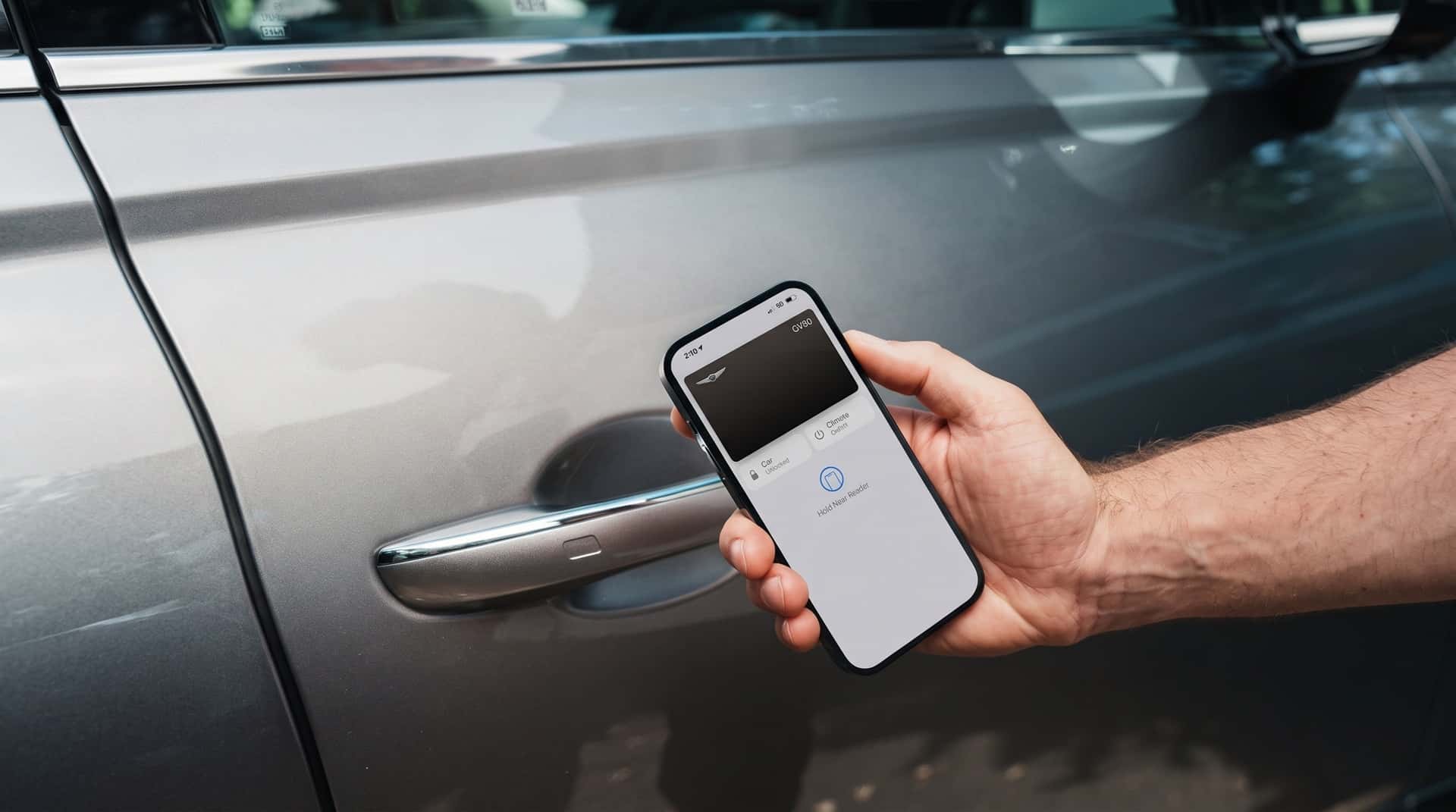
Picture walking up to your Genesis with your hands full and the key fob still sitting on the kitchen counter. With Genesis Digital Key, that is not a problem. Your phone becomes your key. Here is how it works and why owners love it.
What Is Genesis Digital Key?
Genesis Digital Key lets you use a compatible smartphone, and even a smartwatch, as your car key. You can lock, unlock, and start your Genesis without reaching for a traditional fob. It works with select Apple, Samsung, and Google devices, using the wallet app you already have on your phone.
How Does Genesis Digital Key Work?
It depends on your model. On some, you hold your phone near the driver door handle for about a second to lock or unlock. On others, you simply approach the car with the phone in your pocket or bag and it recognizes you. Once you are inside, you can start the vehicle, often by setting the phone on the wireless charging pad. It feels natural and smooth, like the car just knows it is you.
Share Access with the People You Trust
One of the most useful parts is sharing. You can give access to up to 3 people through your phone’s wallet app, so a spouse or a family member can use the car without juggling fobs. As the primary user, you decide when a shared key works and you can turn it off at any time. It is handy for family, a new driver in the house, or a quick trip to the valet.
A Backup for When You Need It
Phone not handy? Genesis also provides an NFC key card you can tuck into your wallet or purse. It lets you unlock and start your Genesis when your phone is not available, so you are never left stranded.
Getting Set Up
Digital Key works through Genesis Connected Services and the Genesis app, so setup starts there. Availability depends on the model, the model year, and your device, so it is always worth confirming before you count on it. Our team is happy to walk you through whether a specific Genesis supports it and help you get it running.
Experience Genesis Technology at Genesis of Macon
Digital Key is one of many thoughtful touches that make Genesis ownership feel effortless. The best way to understand it is to try it. Come explore the lineup and see the technology for yourself.
Explore the Genesis lineup at Genesis of Macon today. We proudly serve Macon and Middle Georgia.
Frequently Asked Questions
What is Genesis Digital Key?
Genesis Digital Key lets you use a compatible smartphone or smartwatch as your car key. You can lock, unlock, and start your Genesis without taking a traditional key fob out of your pocket. It works with select Apple, Samsung, and Google devices.
How do you use Genesis Digital Key?
Depending on your model, you either hold your phone near the driver door handle for a moment or simply approach the car with the phone in your pocket or bag. Once inside, you can start the vehicle, often by placing the phone on the wireless charging pad.
Can you share a Genesis Digital Key with family?
Yes. You can share access with up to 3 people through your phone’s wallet app. As the primary user, you control when a shared key can be used and can turn it off at any time, which is handy for family members or a trip to the valet.
What happens if my phone dies or I do not have it?
Genesis provides an NFC key card you can keep in your wallet or purse as a backup. It lets you unlock and start your car when your phone is not available.
Does every Genesis come with Digital Key?
Availability depends on the model, the model year, and your device, and it requires enrolling in Genesis Connected Services with the Genesis app. The team at Genesis of Macon can tell you whether a specific Genesis supports it and help you set it up.
0 comment(s) so far on What Is Genesis Digital Key and How Does It Work?